- A buffer can delay shortage without fixing throughput
Separate depletion during a deficit from refill during a surplus, and check whether recovery is possible while production continues.
- A fixed budget for collecting both target rewards
Calculate the chance of obtaining both target types without multiplying collection events that are not independent.
- A missing family game and an unavailable copy need different checks
Separate library visibility, sharing eligibility, copy availability and content requirements when a family member cannot play.
- An Anubis parent combination is only the beginning of a breeding plan
Check actual parent individuals, known genders, farm and cake readiness, then distinguish starting a cycle from completing incubation.
- Another tank trailer can add variety without serving your cargo goal
Compare a candidate's new cargo forms with the forms your owned tanks already cover, then check the desired cargo and actual job separately.
- Average latency hides the shape of the samples
Use an original sample comparison to separate latency level, variability and local frame timing without guessing a network fault.
- Before changing phones, distinguish authenticator transfer from account recovery
Check which existing access methods you still control, then follow the applicable official Steam Guard path before retiring the old device.
- Before switching a game beta, plan the return path
Check save compatibility and preserve the original state before changing a game build; returning to a branch does not guarantee a save downgrade.
- Budget shared copper-weapon materials before spending the stock
Combine the remaining weapons' material requirements, allocate stock once and refine only the missing Copper Ingots.
- Can everyone in a Steam Family run the same game at the same time?
Plan a Steam Families session by checking eligible games, available copies and the DLC attached to the chosen copy.
- Can I play my Steam game without internet?
Check offline eligibility, prepare an installed Steam game while connected, and test the mode and save you will actually use away from the internet.
- Can I request a Steam refund, and does pending mean approved?
Check a game's purchase channel and Steam refund conditions, understand when a request needs review, and distinguish submitting a request from approval and returned funds.
- Can I switch to Moonveil now, and what is still missing?
Compare your attributes with Moonveil's requirements, separate temporary bonuses and choose the next acquisition or preparation step.
- Choose a Steam Cloud conflict copy by progress evidence
Reconstruct the play timeline before choosing between conflicting local and cloud states, and avoid treating a timestamp as proof of desired progress.
- Choose the recipe before spending shared stock
A fictional crafting plan shows how recipe choice, combined demand and batch rounding interact without double-counting inventory.
- Compare paired benchmark runs without choosing a favourite
A repeatable scene, paired runs and a declared summary help separate a settings change from ordinary variation.
- Controller double input: isolate the mapping path
Separate physical controls, emulated outputs and game bindings with reversible per-game tests.
- Do three synchronized copies mean three restore points?
Work through two invented save examples to distinguish the current device's copy, recorded progress, and a separately preserved earlier state.
- Does 20% mean a reward within five tries?
Separate the chance of a drop, expected counts, and guarantees. Compare two worked examples and check which reward rules allow each conclusion.
- Does moving or verifying a Steam game also protect my progress?
Choose between moving an installation and verifying game files, protect separate saves, and check the result before removing an old copy.
- Elden Ring equipment conditions
Read Moonveil's base and active attribute checks beside ownership and the intended equipment state.
- Equal average FPS can hide different interval patterns
Use synthetic sequences to see what average FPS and P99 omit, then plan a comparison that keeps the measured task consistent.
- ETS2 trailer coverage decisions
Compare added tank cargo with existing coverage and a specific cargo goal, then check actual jobs separately.
- Finish the right downloads before a play session
Plan a download queue around the required game and its remaining steps rather than the combined size of everything waiting.
- Frame-time percentiles: why sample length matters
Define a percentile rule and count the frames behind a tail statistic before comparing recordings.
- Game and Steam articles
Read worked decisions about factory bottlenecks and family game sessions, then use the related practical guides.
- Game measurement and comparison
Read average FPS, interval distributions and original timing order with a clearly defined comparison task.
- How do I keep Steam Guard access when changing my phone?
Prepare a Steam Guard phone move, distinguish access to the old authenticator from access to the account's phone number, and verify account access after the official transfer or recovery.
- How much more ore do I need when two weapons share my materials?
Prepare a Copper Sword and Copper Mace by counting finished weapons, shared ingots and planks, then the ore still needed. Compare two inventory situations.
- I have the parent species. Is the breeding plan ready?
Compare specific Anubis parent alternatives, check the individual Pals and prepare the farm, cake and incubator before starting.
- I subscribed to a Workshop mod. Why is it not in the game?
Check a missing Workshop mod in order: the right subscription, completed transfer, game-specific activation and a visible result. Preserve a working setup before changing it.
- Local network transfer is not saved-progress transfer
Plan installation delivery and continuation of the intended save as separate results when preparing another computer.
- Mbps and MB/s: compare the same download rate
Convert bits and bytes before investigating a download-speed gap, then separate the connection ceiling from observed transfer and installation time.
- Moonveil's active requirement pass can conceal a base-attribute shortfall
Compare base and currently boosted attributes separately, then check ownership and equipment conditions before calling a transition ready.
- Moving an installation is not the same as verifying your progress
Use a before-and-after progress comparison to decide whether an installation move has preserved the campaign you intend to continue.
- My controller works, but why does the game show another button?
Trace a controller button through its layout, game binding and on-screen prompt in two teaching examples. Separate a working action from unverified compatibility.
- Owned, installed and usable are different DLC checks
Trace an unavailable expansion through the selected game copy, content delivery and the game's own access requirements before deciding what to change.
- Palworld breeding decisions
Check actual parents, separate readiness from probability claims and budget a bounded cake batch.
- Plan a breeding workflow around verified access and a shared cake budget
Separate reusable facilities from consumable preparation, budget a small cake batch and test the actual layout instead of promising an optimal farm geometry.
- Plan a Steam family session around copies, DLC and saved progress
Plan overlapping play times and selected copies without confusing game access, required DLC and saved progress.
- Read Steam reviews for your intended device and way of playing
Compare review period, sample size and described setup before applying an overall recommendation to your own session.
- Read the language you need by function, not only by name
Compare interface, subtitles and audio support with the game's actual language selection and required downloads.
- Refresh rate and frame time: compare the deadlines
Convert display refresh intervals into a conditional frame-time budget without predicting presentation behavior.
- Refund requested, approved and received describe different states
Read the purchase type and official request status before interpreting a missing credit or choosing the next support step.
- Remote Play Together: connected guests and playable seats
Plan local player seats, controller assignments and a short join test before inviting the group.
- Resolution scale changes both dimensions
Calculate the pixel ratio of a resolution-scale change, then test whether it helps the actual frame-time problem.
- Same FPS, different frame pacing
Explore three calculated frame-time sequences, see what average FPS and P99 miss, and plan a fair comparison of your game settings.
- Satisfactory production decisions
Trace iron plate shortages through supply, shared transport and installed capacity.
- Screenshot export: verify the file you will actually share
Check the delivered copy for scene, readability, privacy and format after export.
- Separate a checked breeding condition from a probability claim
Identify whether a breeding claim concerns starting, species, inherited properties or mutation before interpreting a percentage or planning repeated attempts.
- Steam Deck Verified: match the details to your own session
Use compatibility details as a starting point for language, controls, display and connection checks.
- Steam session planning
Plan shared game sessions around overlapping times, selected copies and required DLC.
- Subscribed is not the last step of checking a Workshop mod
Separate subscription, downloaded content, game recognition and the intended effect when checking a Workshop item.
- The download looks finished. Can we start?
Compare two game-download examples: estimate a transfer, distinguish installation from an explicit space shortfall, and avoid promising a play time.
- The machine count looks right. Why am I making fewer iron plates?
Calculate the smelters, constructors and ore for a standard iron-plate line. Separate installed capacity from supply, then diagnose a shortfall.
- The store is in my language. Will the game be too?
Check the language features you need before buying or changing settings, then verify menus, subtitles and spoken dialogue inside the game.
- Three people are connected. Can all three play?
Compare two invented multiplayer examples: match cross-play evidence to the intended mode, and distinguish remote connections from active player places.
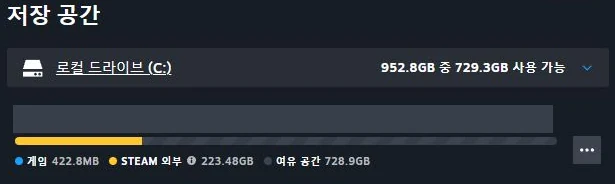
- Update space belongs to a drive, not a total
Identify the volume named in a space warning and account for temporary update work before choosing what to move.
- V Rising material planning
Combine weapon demand, reserve completed targets and allocate shared materials without counting stock twice.
- What a file-verification result tells you about a launch failure
Compare the same failing action before and after verification, and keep file-check results separate from progress, settings and launcher problems.
- What an offline rehearsal proves, and what you still need to test
Follow a hypothetical offline session through startup, mode selection, the intended save and reopening, then choose the next check from the point of failure.
- What do Steam's review scores actually tell me?
Interpret Steam recommendation percentages, distinguish review periods and languages, and use relevant written reports to identify what you still need to check.
- When Play returns, record the launch boundary before choosing a fix
Distinguish a client action, an external launcher, a game window and campaign loading when narrowing a failed launch.
- Where is my Steam screenshot, and is it already shared?
Distinguish local Steam screenshots from uploaded copies, find the actual image and verify a separate copy before sharing or reorganizing it.
- Why adding machines does not increase iron plate production
Trace an iron plate shortfall through ore supply, machine capacity and shared belts, with 80 and 81 plate-per-minute examples.
- Why does Play return immediately without opening my game?
Separate Steam-client, game, launcher and update failures; make one targeted check at a time and collect useful evidence if the game still will not start.
- Why is a game I bought missing from my Steam library?
Find the next check for a missing Steam game by separating the account that owns it, library visibility, purchase status and installation files.
- Why is my purchased DLC missing in the game?
Find why purchased Steam DLC is missing by separating the required game, account, installation state and in-game access conditions.
- Will another tank trailer let me carry the cargo I want?
Compare food, fuel and chemical tanks by their actual cargo forms, distinguish added coverage from overlap, and know when a purchase does not serve your goal.
- Workshop mods: dependencies, load order and conflicts
Use a small dependency graph to separate missing requirements from ordering and compatibility problems.
- Zero network activity with an active disk: what to check
Use phase labels and changes over time to distinguish local update work from evidence that a download may be stalled.